Important: Gathering historical data
Fitabase can pull historical data from a participant if you set sync dates to a window in the past. However, this option is turned off by default on Garmin Connect, and participants must explicitly opt into allowing Fitabase to pull this historical data.
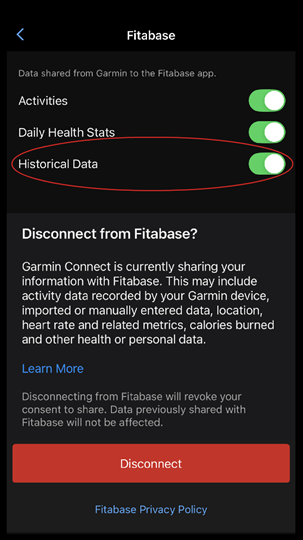
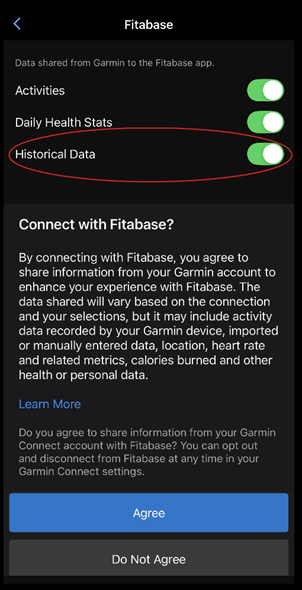
Participants can do this when going through the authorization flow to connect their Garmin account to Fitabase by toggling the "Historical Data" option to on when they grant permission to Activities and Daily Health Stats.
If they have already connected their account to Fitabase, they can still grant permission for historical data capture by tapping "More" on the bottom navigation in the Garmin Connect app, then tapping Settings > Connected Apps > Fitabase and toggling "Historical Data" on.